Showing posts with label mobile phone tools. Show all posts

Sunday, July 28, 2013

Popular Social Networking Apps For Mobile Phone

There are thousands of Social Networking Apps for Mobile Phone on network.Social network apps have been one of the majior factors that have contributed to the popularity powered devices such as smartphones and tablets.Whatever you are a social networking fan or a social media marketer, you’ll likely want to find apps that will help you keep up with social networking and stay productive while on the go. In the list below are some popular social networking apps that are rally popular amongst people. From browser to image editor, social media, social networks, news and games, there are tons of apps out there for everyone.

1.Kindle


The Kindle app gives users the ability to read Kindle books on a beautiful, easy-to-use interface. You’ll have access to over 950,000 books in the Kindle Store, including bestsellers and new releases. Amazon Whispersync automatically syncs your last page read, bookmarks, notes and highlights across devices (including Kindle), so you can pick up where you left off on another device.

2.Instagram


With Instagram you can pick from one of several gorgeous filtered effects or tilt-shift blur to breathe a new life into your mobile photos. Transform everyday moments into works of art you’ll want to share with friends and family.

3.Spout


Instead of spending hours scouring the web, simply “turn on the Spout,” sit back and enjoy a steady stream of information specifically meant for you! Relax as a veritable flood of news, messages, tweets and comments pour forth from your Facebook, Twitter or Google Reader (RSS) feeds.Words spill onto your device, swirling, twisting and scrolling across your screen, pooling in the center momentarily, like a leaf on a pond, before being whisked away as new social messages pour in.

4.Tumblr


With Tumblr you can post anything: share photos, video, audio, quotes, links and text. Multiple blogs: seamlessly manage all of your blogs. Advanced controls: save drafts, queue posts, customize tweets and more! Address book: find people to follow from your iPhone’s address book. Messages: view and reply to messages.

5.WorldTube


The only app in the App Store to allow you to check/watch/share the current top videos by countries in 16 categories. Explore what the world is watching right now.

6.Facebook Messenger


This Facebook add-on lets you chat with friends while using other apps, using floating "chat heads" you can move around the screen. You can also integrate your SMS and Facebook conversations on some devices, with support for others promised soon.

7.Pinterest


Sadly not a network for the shared appreciation of Harold Pinter, this social scrapbook lends itself to on-the-go use, as you never know when you'll see something inspiring you want to share. It's also great if you just like looking at cakes.
  
8.Documents to Go


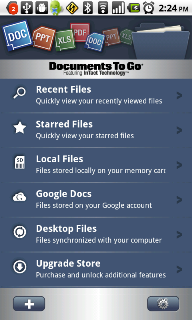
DocsToGo lets you edit, create and view Word and Excel files (including Office 2007/2008/2010); view PowerPoint, PDF, iWork and other files; send and receive attachments using the device’s built-in mail app (iPad/iPhone 4/iOS 4); and includes a desktop app (Win and Mac) with two-way file sync (WIFI required to sync).

Saturday, July 27, 2013

Top 4 Free Music iPhone Apps

Many people like to listen music through mobile phone.When considering an iPhone music app, look for an easy-to-use program. iTunes offers nearly 80 iPhone music apps that provide everything from Native American Flute playing to Top 100 lists to Guitar Tablature. Many choices and features are available; some apps are functional and others are just fun.All programs utilize the trendsetting touchscreen features of the iPhone and iPod Touch and some even allow you to play simulated instruments through the screen,numerous programs are also just for music listening.Regardless of the type of iPhone app you decide to use, it should be easy to use, with logical button placement, and both embedded and online help and support. You may even find that several iPhone apps offer similar functions, so try out a few before you decide which one you like best. The following is to help you find the free Music iPhone Apps. You can read the 4 Free Popular Music iPhone Apps 2013: 

1.Music Tubee 1.1.1


Music Tubee is a great solution when you want to search for today's best music online. This music app does the searching for you on YouTube and brings you the latest music on the top 100 charts for 38 countries, eliminating the spam videos and junk and getting you to the music you love. Music Tubee is optimized for the iPhone 5 but works just as smoothly with iPad, iPhone and iPod Touch.Music Tubee is a convenient, easy-to-use music application that is sure to put a smile on any music video lover's face. While the free version is well worth a download, the full potential isn't realized until you upgrade. 

2.GuitarTuna 1.1


We like GuitarTuna's open and simple interface. Everything you need is accessible from one screen, so there is no chance you will get lost in submenus of unnecessary options. The only submenu available has a button to switch to right or left hand and buttons for GuitarTuna's Facebook page and Twitter feed. The graphics are a bit cartoonish, but they are bright and friendly. We found the buttons for the notes to be adequately sized and easy to press, even on an iPod Touch.GuitarTuna is one of the best guitar tuning apps you will ever find. We are impressed with how accurate and user-friendly this app is, especially compared to similar apps. If you are looking for a high quality guitar tuner that doesn't require an instruction manual and gets you playing quickly, then GuitarTuna is the app for you . 

3.CoachGuitar 1.7.2
 
CoachGuitar is an easy-to-use mobile app that helps you learn to play some of your favorite songs. The best feature of this app is you don't need any previous musical knowledge to start. Many guitar apps require you to have taken music lessons or at least know how to read music, but with CoachGuitar's easy-to-follow HD video tutorials and color-coded fingering, you'll be plucking and strumming the opening riffs to your favorite songs in minutes.As with any new skill, you'll need to have patience as you learn and grow in your new ability. CoachGuitar does not promise to change you into a guitar legend overnight, but it provides one of the best tutorial systems we have seen for learning guitar. With its growing library and professional, easy-to-follow videos, you are sure to enjoy learning how to play the guitar with the CoachGuitar app. 

4.Playlista 1.2


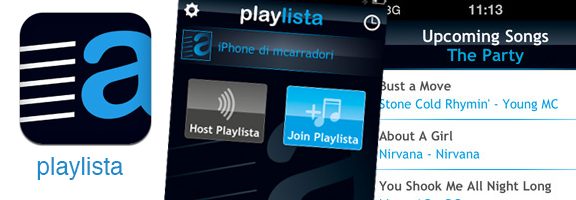
Playlista by Mobappalula is the 21st century equivalent of a friend's mix tape. Back in the day, friends would painstakingly spend hours finding the right mix of their favorite music to share with each other on a cassette tape. Now you can download this free app and share entire libraries in no time. Those long mix-tape hours are now put to better use listening to music with friends.Playlista is a must-have for friends that like to share their music interests. The app has just the right amount of features and a simple interface to use them. You can tell the world about the app using its integration with your Facebook and Twitter accounts. The graphics look amazingly crisp and clean. This is something that every music player should have. The technical support is not fully complete yet, but it's on the way. The value of this app is undeniable. It's free, so download it today.

Thursday, July 25, 2013

The 4 Free Popular Photography iPhone Apps

Many of iPhone photography apps offer photo effects and others are designed to help you share images. There are even photography apps available that can help you take better pictures of your beloved pets.There are currently well over 200 iPhone photography apps available in iTunes.iTunes offers a wide variety of photo editing, photo organizing and photo sharing iPhone apps, so the features available vary greatly. However, look for apps that are easy to use, have a clear and simple to understand interface and ensure that they can load images to hosting sites quickly.For most photography iPhone Apps,you only spend 1-5 dollars could have a great photography iPhone App.Of course,some of them are free. The following is to help you find the free Photography iPhone Apps. You can read the 4 Free Popular Photography iPhone Apps:
  
1.ClickBerry Tagger 1.4


With the help of the convenient ClickBerry Tagger iPhone app, you can share all those special moments, whether they are serious or humorous, with your friends and family on Facebook and Twitter, and you'll know they'll be watching the exact moment you intend for them to enjoy – thanks to the bookmarks and tags you can add directly in the videos.
  
2.PowerCam 2.0.2


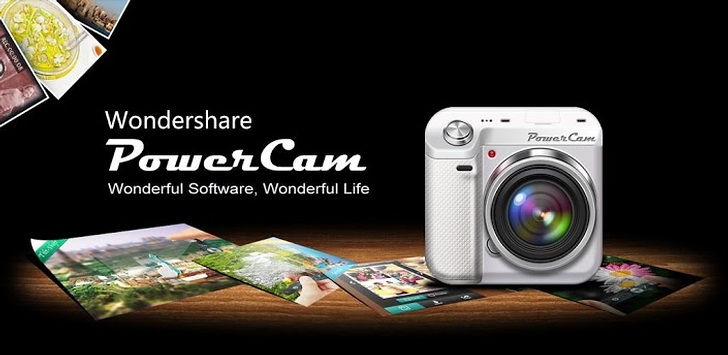
PowerCam lets you share your unique pictures to Facebook and Twitter without having to spend any time editing after the picture is taken. Until a person is familiar with the effects offered in this app it will take some preparation to find a fitting visual format. But with features like Tilt-shift, this app gives your basic photos a professional look.  

3.FREE Instagram 2.0.6


Instagram is easy to like. It's simple and functions well. It allows interconnection with established social networking sites and enables members to share their best spontaneous and existing photos with friends, family, associates and online networks. You can apply filter settings to enhance photos or share them unaltered. The app is free and is among the best out there. It could one day rival today's largest and most-expansive social networking sites.

4.Photoshop.com Mobile 1.0.0.209


As a quick photo fix tool, it can’t be beat, just don’t assume you’ll get the broad spectrum of editing options that you would expect from a program with the Photoshop name slapped on it. Photoshop.com Mobile will be a bit disappointing if you download it with those expectations. Be sure to check out our reviews on tons of other great iPhone apps.

Wednesday, July 24, 2013

New Google Maps support 3D and More


Google Maps announced it is rolling out offline maps for mobile, showed a new person-mounted Street View camera and is improving the 3D capabilities of its maps via aerial data. It's a major overhaul, one that comes in the face of Google reportedly losing one of its biggest partners. Users can look up a map in advance, and select a section to "make available offline." Google Maps will then indicate how much data this will take, and the map automatically downloads to the device. For devices with a compass, maps will automatically orient without 3G or WiFi running.

Google called this a benefit of building its own basemap. There was no firm date set, but the company said it is "coming soon to Android." Brian McClendon, who runs Google's geo group, noted that it's "working hard" to bring this to all platforms. Luc Vincent, who began Google Streetview as his 20 percent project, described how the company has expanded Streetview to include tricycles, snowmobiles and trollies that has let it show views of everything from university walkways to art museums. Today he showed off a human-mounted Streetview camera called the Trekker that hooks on the back, connected to an Android phone, to film places like the Grand Canyon and castles.

Google is also improving the ways its 3D views are shown thanks to some high-flying technology. It used cameras mounted on its own fleet of airplanes that shoot images at 45 degree angles and from directly overhead, from multiple directions. These images are reconstructed in a process called stereophotogrammetry to create textured meshes that let it render 3D photo-realistic scenes. Google showed off a dramatic view of this running on Google Earth on an iPad, that encompassed all the buildings in downtown San Francisco, as well as trees, completely modeled in 3D. It's coming soon to Android and iOS. The event kicked off with McClendon giving a lengthy history of Google's mapping products and describing its three principles: comprehensiveness, accuracy and usability. He noted that today, 75 percent of all people in the world can see their homes in high resolution, and Google has 187 countries and 26 million miles of roads mapped with driving directions. And of course, it even has indoor maps now, to help people navigate subway stations and cavernous casinos. This focus on comprehensiveness seemed like a subtle attempt to differentiate itself from any upcoming Apple maps.

At its developer-focused WWDC conference next week, Apple is widely expected to announce that it's ditching Google Maps in the next version of iOS in favor of its own system, complete with 3D maps. Which could explain why Google is making big announcements itself ahead of its Google IO conference at the end of the month. When asked directly about this, McClendon basically talked about how great Google Maps are. But it was telling that despite all of these announcements, plus lots of backstory on things Google is doing across the globe (like working with tribes in the Amazon) all reporters wanted to hear about during the Q&A was Apple.
  
Article Source: http://gizmodo.com/5916207/new-google-maps-offline-mobile-access-and-more-updating-live

Monday, July 22, 2013

The effectiveness of Mobile Payments Tools

Today,Some people have considered mobile payments options for their business.These range from accepting credit cards on the go and using people's mobile like a wallet to making their e-commerce available on the mobile web. Mobile payments are becoming big business and the segment is only expected to grow. So tools must be specifically designed to work with these digital interfaces to achieve maximum effectiveness.

The followings are the top 3 Mobile Payments Tools:


Mobile Payments Via Phone

Phones present a unique challenge in the world of mobile payments. Phones have much smaller screens than do computers, and for many years, phones had to have websites designed specifically for their use. The phone also required extra oversight because someone could use a stolen phone to access bank accounts. The tools for accessing payments on cellular phones are bank financial apps, wireless Internet connections and mobile Internet payment websites.

Mobile Payments Via Laptop

Many consider making a payment online from a Starbucks or a McDonalds a typical transaction. You utilize the same websites and tools you use for a desktop, but you just make the payment from a mobile computer. The laptop helped popularize the mobile hot spot as unchained computer users dashed to libraries, coffee shops and smoking rooms to surf and converse. The tools used in this arena are the secure website, the mobile hot spot and wireless local area networks.  

Mobile Payment Tools for Tablet PCs

Tablet PCs tend to use many of the same online tools that laptops use, but with some notable differences. Screen real estate is an issue with some tablet PCs. Companies such as Apple and Blackberry have worked hard to set up website resolution that renders this issue irrelevant, but other tablet PCs still require websites specifically adapted for screen resolution before making payments. The tools for this type of computer are the financial mobile website, wireless Internet and mobile hot spot. In addition to the above-mentioned, there are more  mobile payment tools for mobile business.

Read more please go to http://www.businessnewsdaily.com/4457-mobile-payment-solutions.html

Sunday, July 21, 2013

Best 5 PDF Readers on Android Mobile Phones


PDF is short for Portable Document Format, an electronic file format. It is independent from platform operating system, developed by Adobe. PDF file image model is based on the PostScript language, no matter what kind of printer can ensure accurate color and precise printing results.

With the development of science and technology, Mobile PDF reader is highly demand by users. Here we will offer you more information about PDF reader for android mobile phone.

Install Android PDF Reader to View PDF Documents on Android Device


It would be a great convenience if the PDF reader is bundled with Android phone, while the fact is many Android users don't have a decent PDF reader preinstalled on their mobile phone. In view of this, it is neccessary to download and install a PDF viewer for Android in order to read PDF files on your phone. Among many Android market PDF readers, it is impossible for us to try one by one to find the best PDF reader for your Android phone as it is time-costing and energy-draining. Here we introduce you some best Android PDF viewers used and recommended by many Android phone users to help you find a top Android PDF reader that meets your requirement.

1. Adobe Reader App $0
Adobe Reader for Android
Renowned global standard for PDF files, Adobe Reader, is not only availble on desktop, but also can be installed on your Android phone for viewing and interacting with PDF documents. Adobe PDF reader app is one of the best PDF reader app for Android.
Features:
Easily and reliably view PDF documents in a variety of PDF file types including PDF Portfolios password protected PDFs, fillable forms, and Adobe LiveCycle® rights-managed PDF files.
Support multiple view modes such as single page, text reflow, continuous or automatic.
Offer many navigation options; use bookmarks to jump directly to a section in your PDF file.
Fill out forms, add text and can save, sign, and forward forms to others.
Android Phone Requirement: Android 2.2 and above.

2. Beamreader PDF Viewer 10-day free trial
BeamReader PDF Reader for Android
This Android PDF reader gives users the freedom of viewing and reading PDF files on Android smartphone with almost complete desktop functionality in a small screen. It offers a 10-day free trial. If you want to buy its full version, you have to purchase for $9.99.
Features:
Fast full fidelity rendering.
Intuitive granular zoom/navigation.
Text wrap view.
Multi-touch/Pinch-to-zoom.
Encrypted/password protected PDFs.
Support text search, bookmark and embedded links.
Android Phone Requirement: Android 1.5 (Cupcake) and above

3. ezPDF Reader $2.99
ezPDF Reader for Android
This Android market PDF reader is an audio & video multimedia PDF Reader, annotator (palm rejection for Samsung S pen and HTC Scribe pen), and form filler. It has Voice Reading to have documents read to you, that is, you can use this Android PDF reader to hear the file instead of reading.
Features:
Support scanned and text based PDFs, including JPEG2000 and JBIG2 compression.
Select Text Reflow, Fit to Text Column, bookmark as you go or Change Reading Direction to ease reading.
Fill out application forms, school tests, and contracts; Sign with Freehand, and send via email.
Open Standard Password-protected PDF; Offer thumbnail image view; Support hyperlinks.
Dupports split layout in file manager for Honeycomb-based devices.
Android Phone Requirement: Android 2.1 and above.

4. Documents To Go (PDF To Go) $14.99
PDFToGo PDF Reader for Android
PDF To Go is not a standalone Android PDF viewer, it is embed in Document To Go app on Android market. Document To Go is an app that can view native Microsoft Word, Excel and PowerPoint files & attachments and PDFs. The supported formats includes .doc,. docx,. xls,. xlsx,. ppt,. pptx.
Features:
Speedy and smooth tap-to-zoom in and out system.
Save the PDF to a user-defined folder on the SD card and email the PDF directly out of the app.
Support hyperlink and multipage rendering.
Selected text through copying is on the device's clipboard and can be pasted into any other app.
Android Phone Requirement: Varies with device

5. RepliGo Reader $4.99
RepliGo PDF  Reader for Android
This PDF viewer for Android is the first and only Android PDF Reader that enables both viewing and commenting on PDF files. It supports PDF viewing, annotating and form filling. RepliGo Reader also makes a great eBook reader with features like reflowed text, night mode, text-to-speech and brightness settings.
Features:
View PDF, annotate and fill form of files from your email, memory card and the Internet.
Support colors, border thickness and the note for any of the annotations.
Open password protected files; Send PDF files via email.
Add highlights, cross outs, underlines, sticky notes, arrows, lines, rectangles, freehand drawings and text boxes.
Navigate long documents using bookmarks, comments, document links, go to page, search and thumbnails
Android Phone Requirement: Android version 2.1 and above.

Although there are tons of apps on Android market for you to download and install, Android PDF reader app is a must-have app that you can't be missing. If you don't have a PDF viewer bundled in your Android phone or are still in search of a top Android PDF reader, you can take the above mentioned best 5 PDF reader for Android device into consideration. With the best Android PDF reader, you can read all your PDF documents on your smartphone and the reading experience is exactly the same as on desktop.

Thursday, July 18, 2013

Ten best free Android games in 2013

Today,the Android phones and tablets have increased in popularity, the number of apps  for the platform has rocketed.And that means more free Android games can be statisfied by people's different requirements. So we've summaried some Android games  which  you should download to your phone. Without delay, here is ten best free Android games in 2013:

1. Candy Crush Saga

free android games

 Candy Crush saga is an addictive puzzle game, requiring you to switch and match bits of candy to make them disappear in over 100 levels of adventure. While it is completely free to download, some users have complained that it is difficult to advance without the in-game purchases, although you are never pushed in the game to spend money. The ability to view current high scores and network with your friends on social media can make this game an obsession. Be warned! Get Candy Crush Saga from the Google Play Store

2. Lazors

free android games

 Lazors is a minimalistic puzzle game based around the concept of reflecting laser beams. The game might seem to be a little primitive, but in reality it hides a great deal of complexity and has a plethora of levels. For anyone who like puzzle games, the “free” tag makes this a “must-have.” Go to get Lazors from the Google Play Store

3. 4 Pics 1 Word

free android games

4 Pics 1 Word is basically a simple game with all you really need to know about it being explained in the title. You are literally given a selection of 4 good-quality stock photos and must guess the word that connects all the photos, from a selection of letters provided below. Players are given a little help in this with the number of letters in the word being shown and if they still can’t get the answer they have the choice to connect to Facebook and wait for a friend to help them out or use in-game purchasable currency to reveal letters. There is really not much more to this game and the idle-time-waster is proving to be very popular in the charts. Go to get 4 Pics 1 Word from the Google Play Store

4. Temple Run 2

top free android games

Temple Run 2 is a highly addictive endless runner game, that sees you trying to evade a monster whilst running through a temple in the clouds. Along the way you must avoid obstacles including fireballs, broken railtracks, overhangs, and booby traps, with a few more surprises having been included following the original Temple Run game. Whilst in-game purchases are available, you do not rely on them to advance, and the ability to compete with friends and of course yourself across the leaderboards, really makes this game hard to put down. Read Full Review Go to get Temple Run 2 from the Google Play Store

5. Doodle Jump

free android games

 Another victory for simplicity. Doodle Jump requires you to direct the Doodler character up the screen via a series of platforms, some of which move or break. There are a few items such as springs and rocket packs to help you along the way and if you fall off the base of the screen,or jump into a monster or black hole then that is it. Game over. You can choose to control the character movement via the accelerometer or touch and the need to beat your high-score keeps you coming back for more and more. Go to get Doodle Jump from the Google Play Store

6. Parking Mania

free android games

 Car parking and fun. It’s not a combination you thought would normally exist, but this puzzle app manages to combine the two as you endeavour to show off your parking skills and knowledge of the puzzling difference between “left” and “right.” You control the car by tilting it for direction and using your right thumb for acceleration (you can edit the controls in the menu as well) and the result is a game that can be considered “easy to learn, but hard to master.” There are over 80 cars to use in the game with one minor hitch being a graphics glitch which can cause you to hit a wall when you didn’t. Still all in all a good time-waster and addictive app once you get going. Go to get Parking Mania from the Google Play Store

7. Toy Truck Rally 3D

free android apps

Toy Truck Rally brings out the little boy in you as you find yourself controlling a miniature toy truck and hurtling through a well-rendered 3D environment, dodging obstacles and gaining power-ups, boosts and bonuses. The truck can be controlled via touch or accelerometer methods, whichever works best for you. The graphics are OK but nothing special, and for those of you who want to return to those times of hurtling around pretending to be the car or propelling a toy car, with no regard for direction or speed then this is the game for you. Go to Get Toy Truck Rally 3D from the Google Play Store

8. Subway Surfers

free android games

Similar to Temple Run, Subway Surfers is another 3rd-person endless runner game, which sees your character running up a subway track, collecting coins and avoiding trains, whilst being pursued by the railway cop and his dog. The game has incentive based missions to progress throughout the game and the ability to earn characters and upgrades through in-game progress and purchases. You can also power up your ability through the use of in-game boosts such as trainers, jetpacks and for the “Back to the Future” fans, a hoverboard. The result of all this is a highly addictive and excellent time-consuming app. Read Full Review Go to get Subway Surfers from the Google Play Store

9. Manuganu

free android games

 Manuganu is a platform-style app with impressive graphics, that sees you controlling the Indian character through a selection of landscapes, jumping from platform to platform and collecting coins in your attempt to reach the finish line. You control the character through a few effective touch and swipe controls and while you don’t need to be an expert to complete the levels, you will need to develop some skill to score highly. Go to get Manuganu from the Google Play Store

10. Angry Birds

free android games


 You just might have heard of this one. Angry Birds has become a worldwide phenomenon branching out into many more products than just the game. The original game however still makes the top 10 of the top free Android games, with loads of levels, all based around throwing a bird to knock out a pig. A concept which never ets boring and although the free-version is ad-supported, Angry Birds really is a must for your game collection on your device. Fun for all the family. Go to get Angry Birds from the Google Play Store

Wednesday, July 17, 2013

2013 Best 5 Antivirus for Android Phone

Viruses,hackers from mobile network can be seen everywhere,so stay secure on the mobile security is very necessary.For example,you need to prevent your mobile phone payment system from being attackded,prevent your mobile cipher from being stealed and so on.The Antivirus for mobile has been used widely more and more.Well,the following list is the best Android Antivirus program For Android SmartPhone.

1.McAfee Mobile Antivirus


Another highly effective antivirus program for your android smartphone comes from the house of premium PC security firm, McAfee. It is packed with many attractive security features and provides a strong line of protection to all types of android smartphones from viruses, malware, spyware and other online threats.

Below listed are the highlights of this mobile security program:

Advanced options for safe internet surfing
Reliable protection against viruses and malware
Protection for application and privacy
Options for device locking and unlocking to prevent unauthorized access.

2.Lookout Antivirus and Security


This is one of the most popular mobile antivirus software among android users worldwide. It offers protection against loss and theft and also claims to be energy efficient. The free version of this app features antivirus security, scanning facility for each downloaded application, daily or weekly scanning and constant monitoring of files.

Below listed are the highlights of this mobile security program:


Provides protection to all types of Android phones from viruses, Trojans and spyware
Detailed options for device scanning and scan schedule
Effective arrangement for file system monitoring, privacy protection and web safety.

3.Avast Mobile Security (Free App)


Another highly effective mobile antivirus software is Avast Mobile Security. This security app is also available on Google Play – the online Google app store. It is free to download and offers tons of features such as remote SMS commands for history wipe, siren activation, GPS tracking, phone lock and audio monitoring.

The software provides users the option to schedule scans, update virus definitions, uninstall apps and delete malicious files.

Below listed are the highlights of this mobile security program:

Effective protection from viruses, malware and spyware
Firewall option for advanced security (Available only on rooted mobiles)
Innovative anti-theft options such as siren activation, GPS tracking and mobile locking.


4.AVG Mobilation (Free mobile antivirus application)


AVG Mobilation is one of the leading mobile antivirus software available today for android smartphones. AVG has already made a noticeable presence among the security programs for desktops but now they have also introduced a mobile version dedicated to android users.

Below listed are the highlights of this mobile security program:

Quickly scans your files, data, apps, settings etc.
Helps users track their stolen or lost mobile phone
Advanced and user-friendly privacy protection
Web security to help you browse safely
Helps you increase the phone performance
Prevents phishing attacks considerably
Keeps your messages, bookmarks and contacts safe and secured
Very effective against viruses, malware and spyware.

5.Comodo Mobile Security


Last but not the least Comodo offers the best of its kind mobile security to all android users. It offers fabulous features to ensure the security of device from all sort of online threats including viruses, malware and spyware.

Below listed are the highlights of this mobile security program:

Provides excellent and reliable protection against malicious apps and viruses
Advanced options for privacy protection
Options to lock files and data to prevent unauthorized access
Options for device tracking and recovery in case of theft or loss.

Top 5 web browser app for android smartphones

There are many web browsers with a good user experience for Android.Since the release of Android OS, most web browser developers begun to develop mobile versions and as the time goes by these are getting better and better,depending on the features you're looking for. The following will be presenting the 5 web browsers for Android smartphones or tablets.

1.Chrome


The Google Chrome browser for Android is one of the most trusted applications not only on laptops but also on mobile devices and tablets. Over 100 million users have been downloading this application and it is the perfect companion app for your Android.You can enter your Google account details and sign it into your Desktop Chrome variant and then sing in into the mobile version and, every single thing will be automatically synced between both devices. Chrome for Android will not work with older Android phones and this might be a low-point.

2.Dolphin


Dolphin Browser is our favorite web browser for Android, and for good reason. Dolphin's options and tools are unparalleled, even when compared to the big name browsers, supports dozens of third-party plug-ins and tools to extend its features, has built-in speech-to-text thanks to Dolphin Sonar, supports on-screen gestures to open bookmarks and navigate around pages, and comes in two flavors: the "HD" version for phones that can handle all of its features, and a "Mini" version for device owners who want speed and snappy performance over options. Even if you gravitate to one of the big names, Dolphin is worth at least trying.

3.iCab


iCab is a name we hadn't heard in a long time. It'll cost you $2, but for the money you get built-in ad blocking, form auto-fill, the ability to import and export bookmarks and bookmark folders to and from the desktop, and even a fully-featured download manager that lets you download anything you could from a desktop browser. The app supports Dropbox, so you can stash downloads there. iCab also supports gestures, custom links to Facebook, Evernote, and other third-party services, and more. It's the most expensive in the roundup (considering Atomic is $1 and everthing else is free), but you definitely get features for the money.

4.Firefox


Firefox Browser for Android is the decade’s most popular desktop web browser is now available for Android devices. It packs all the features from the desktop variant and it can easily become your favorite browsing tool for when you’re playing with your phone or tablet. More than 50 million users worldwide have installed this application, which is a smoother alternative to Dolphin Browser. It has been released by Mozilla as a ‘fast, smart and safe’ application for all Android users who want to browse the world wide web from their smartphones.

5.Opera


If you're a fan of Opera on the desktop, Opera Mobile will suit you perfectly. Opera Mobile supports Opera Link, so you can sync your bookmarks, speed dial, and other user preferences with your desktop Opera install. Aside from that, Opera Mobile is fast, free, and goes out of its way to compress data in the background so you can browse your favorite sites without blowing past your wireless carrier's data caps. Opera even has its own mini-app store, full of third party add-ons that improve the browser or games that make it more fun to use. Have an older device? Opera Mini might be a better choice—you get most of the features, but even more speed.

Monday, July 15, 2013

Top 5 Android Music Players in 2013

Today,more and more people like to play music on mobile devices.With the constant updating of mobile systems,the performances of mobile application softwares are required more higher than before.For example,music player for android.Well,many music fans are always in hunt of apps which can satisfy their appetite to music.The popularity,quality,and functions of music player are paid close attention on app store.

Here’s a list of  top 5 music players for Android in 2013:

1. Player Pro


With over 1 million downloads Player Pro is one of the oldest media app on Google play. The app allows you to play music, watch videos. With many advanced features like shake to play, pause less playback, update and choose album art,  lock screen options, even providing you option to customize what to do when you press album or song. It has choices of skins available with DSP pack for changing to 10 control equalizer with advanced settings. The app even allows you to edit id3 tags and various sound pre-sets. The app supports Dolby, SRS and beats audio and delivers the best sound quality.

Developer: BLASTON  LLC

Availability: Trial and paid on Google play

2. DoubleTwist Player


This is one of the clean and well developed music player for android with ability to sync the iTunes music playlist wirelessly using air sync feature. The app is free to download but Air sync feature will cost you money to buy from Google play.

Developer: DOUBLETWIST

Availability: Free on  Google play

3. Winamp 


One of the oldest contenders in media players , winamp is one of the most downloaded media player out there in Google play.  It offers wireless media sync by using win amp in PC. It has all the basic features like 10 band equalizer  customizable home screen, lock screen playing, widgets, gap-less playback, and customizable lock screen. The con is that it cannot play videos or photos.

Developer: NULLSOFT INC

Availability: Free and Paid on Google play

4.MixZing


A rather mixed option this. MixZing's minimalist and modern front end takes you through to a pretty bland player, but the killer feature here is a customisable graphic equaliser with the option to apply its audio filters to all your tunes, one particular album or even one individual track. Things don't get much more customisable than that.

5.N7Player 


A really innovative option for those with a powerful phone, N7Player gives you a multi-touch, zoomable music interface, coupled with modular player screen that's beautifully designed whether you're using it in portrait or landscape mode. Home widgets and lock screen controls, a tag editor, lyric look-up and much more make this an excellent showcase for Android audiophiles.